PAWS is UWM’s official system for:
- Viewing official class rosters.
- Submitting final grades.
Accessing Rosters
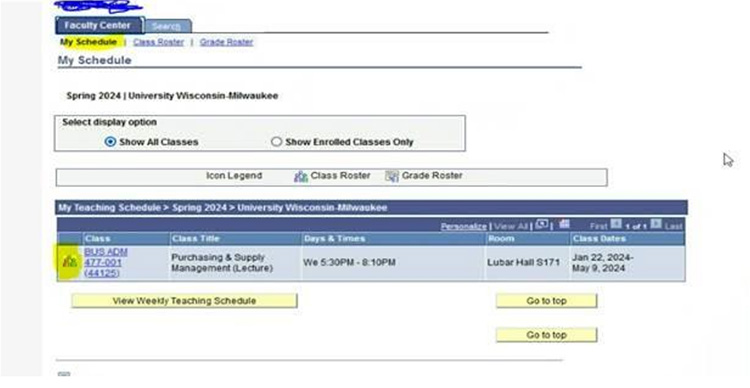
- Go to: Main Menu > Self Service > Faculty Center > Class Roster If you do not see the roster immediately, go to step 2.
- Click “Change Class” or use the “My Schedule” tab to change the class or term AND/OR click the people icon to the left of the course name to reveal the roster.
See the screenshot below
Emailing from PAWS
- Use the roster page to email students directly
Switching Terms
- Use “My Schedule” > “Change Term” to view a different semester
Final Grades
- Assistant Dean Andrea Wrench (awrench@uwm.edu) will email instructions and deadlines toward the end of each semester.
FERPA Reminder
Caution should be taken to avoid a violation of students’ right to privacy whenever and wherever grades are posted. All new instructors must complete FERPA training online: