If the training you are looking for is full or if there isn’t an option yet to register, PDS has a feature where you can set yourself up to be notified of when the next training session is available. Follow these step by step instructions to be informed of a specific training you are interested in
1. Login to your PDS account

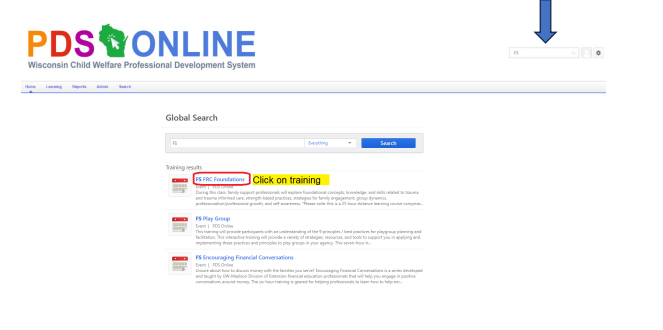
2. In the Search bar on the right side, type in FS and a list of all of the Family Support Trainings will pop up. Select the training from the list you are looking for.
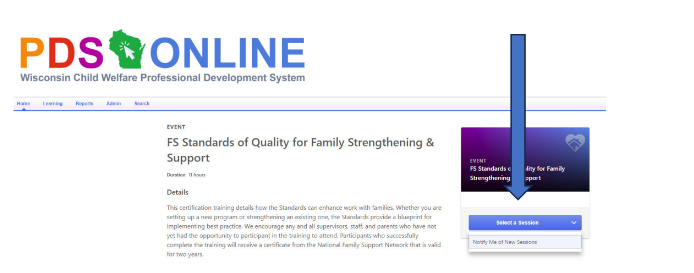
3. The training description from the training you selected will appear. On the right, you can select the session of the training date you are looking for. If there is no current session scheduled, you can click on the “Notify Me of New Sessions”.
4. Complete the information in the Interest Tracking. You can either select a specific location for the training you are looking for or check box at the boom that says “Notify me when sessions are scheduled at any location”. Click “submit” when done.
